Why QR menus are the new standard
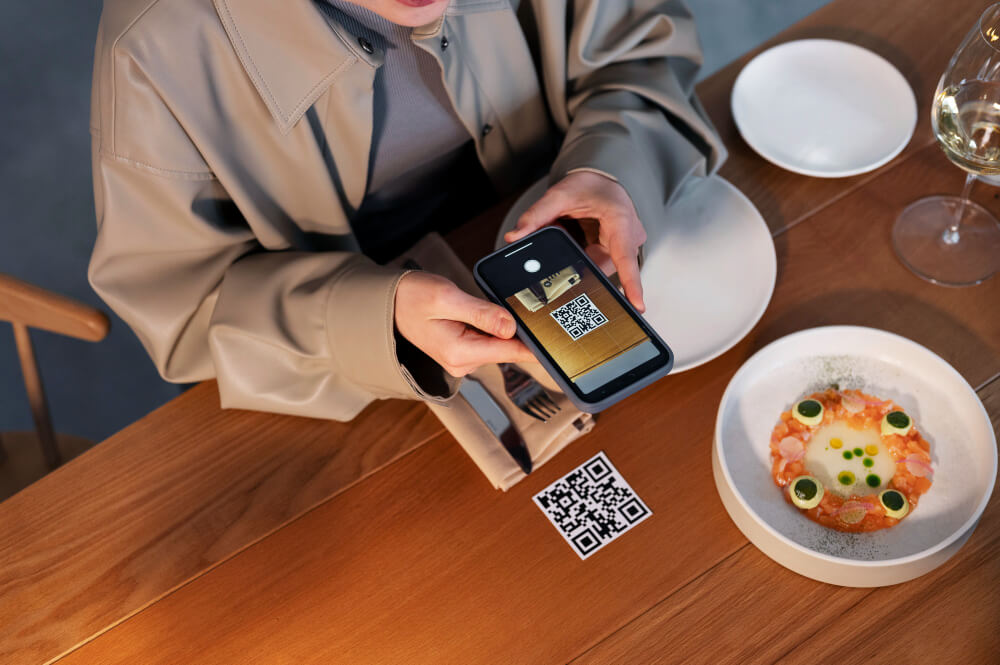
Guests want fast, mobile-friendly menus—without downloading apps and without outdated paper copies. A digital QR menu is contactless, easy to update, and helps you keep pricing and items accurate at all times.
QR Restaurant Menu helps restaurants, cafés, and bars build a professional digital menu that looks great on every phone—and stays up to date in seconds.
1) AI PDF Menu Import: from PDF to QR menu
Already have a PDF menu? Don’t retype it. Just upload it:
AI detects categories, menu items, and prices
saves hours of manual work
reduces errors and inconsistencies
In minutes, your PDF becomes a fully editable QR menu.
2) Menu Editor: manage categories & items easily
After importing (or creating from scratch), you can edit everything:
update names and descriptions
change prices instantly
add or remove categories/items anytime
keep your menu clean and consistent
No printing. No redesigns. Just quick updates.
3) Drag & Drop sorting for a better menu flow
Menu order matters. With Drag & Drop, you can rearrange categories and items effortlessly, so guests see your best sellers first.
4) Match your brand with 5 premium themes
Design affects perception. Choose a style that fits your venue:
Lux, Sable, Botanica, Noir, Ivory
You can also add your logo and slogan for a branded experience.
5) Multi-language support for international guests
Clear menus increase orders—especially in tourist areas. Offer your menu in multiple languages, such as:
DE, EN, FR, IT
You can also display currencies like CHF, EUR, USD, useful for international audiences.
6) QR code download + website integration
When your menu is ready:
download your QR code and place it on tables or signage
share the menu via a link
integrate it into your website (including embed/iframe options)
7) PDF export & documentation options
Need a PDF version too? No problem:
PDF menu export
PDF declaration/documentation available for internal needs
8) Guest features: favorites list with total
Guests can use a favorites list with a total sum, which helps groups decide faster and improves ordering flow.
Conclusion: a modern menu that’s easy to manage
A digital QR menu saves time, looks professional, and stays updated. With AI import, editor tools, themes, languages, QR download, and website integration, QR Restaurant Menu covers everything modern hospitality needs.
Start with the Trial, then upgrade to Pro or Premium when you’re ready (including custom templates, custom PDF design, and integration support).
Guests want fast, mobile-friendly menus—without downloading apps and without outdated paper copies. A digital QR menu is contactless, easy to update, and helps you keep pricing and items accurate at all times.
QR Restaurant Menu helps restaurants, cafés, and bars build a professional digital menu that looks great on every phone—and stays up to date in seconds.
1) AI PDF Menu Import: from PDF to QR menu
Already have a PDF menu? Don’t retype it. Just upload it:
AI detects categories, menu items, and prices
saves hours of manual work
reduces errors and inconsistencies
In minutes, your PDF becomes a fully editable QR menu.
2) Menu Editor: manage categories & items easily
After importing (or creating from scratch), you can edit everything:
update names and descriptions
change prices instantly
add or remove categories/items anytime
keep your menu clean and consistent
No printing. No redesigns. Just quick updates.
3) Drag & Drop sorting for a better menu flow
Menu order matters. With Drag & Drop, you can rearrange categories and items effortlessly, so guests see your best sellers first.
4) Match your brand with 5 premium themes
Design affects perception. Choose a style that fits your venue:
Lux, Sable, Botanica, Noir, Ivory
You can also add your logo and slogan for a branded experience.
5) Multi-language support for international guests
Clear menus increase orders—especially in tourist areas. Offer your menu in multiple languages, such as:
DE, EN, FR, IT
You can also display currencies like CHF, EUR, USD, useful for international audiences.
6) QR code download + website integration
When your menu is ready:
download your QR code and place it on tables or signage
share the menu via a link
integrate it into your website (including embed/iframe options)
7) PDF export & documentation options
Need a PDF version too? No problem:
PDF menu export
PDF declaration/documentation available for internal needs
8) Guest features: favorites list with total
Guests can use a favorites list with a total sum, which helps groups decide faster and improves ordering flow.
Conclusion: a modern menu that’s easy to manage
A digital QR menu saves time, looks professional, and stays updated. With AI import, editor tools, themes, languages, QR download, and website integration, QR Restaurant Menu covers everything modern hospitality needs.
Start with the Trial, then upgrade to Pro or Premium when you’re ready (including custom templates, custom PDF design, and integration support).